Mini 8GB USB Pen Voice Recorder with Earphones
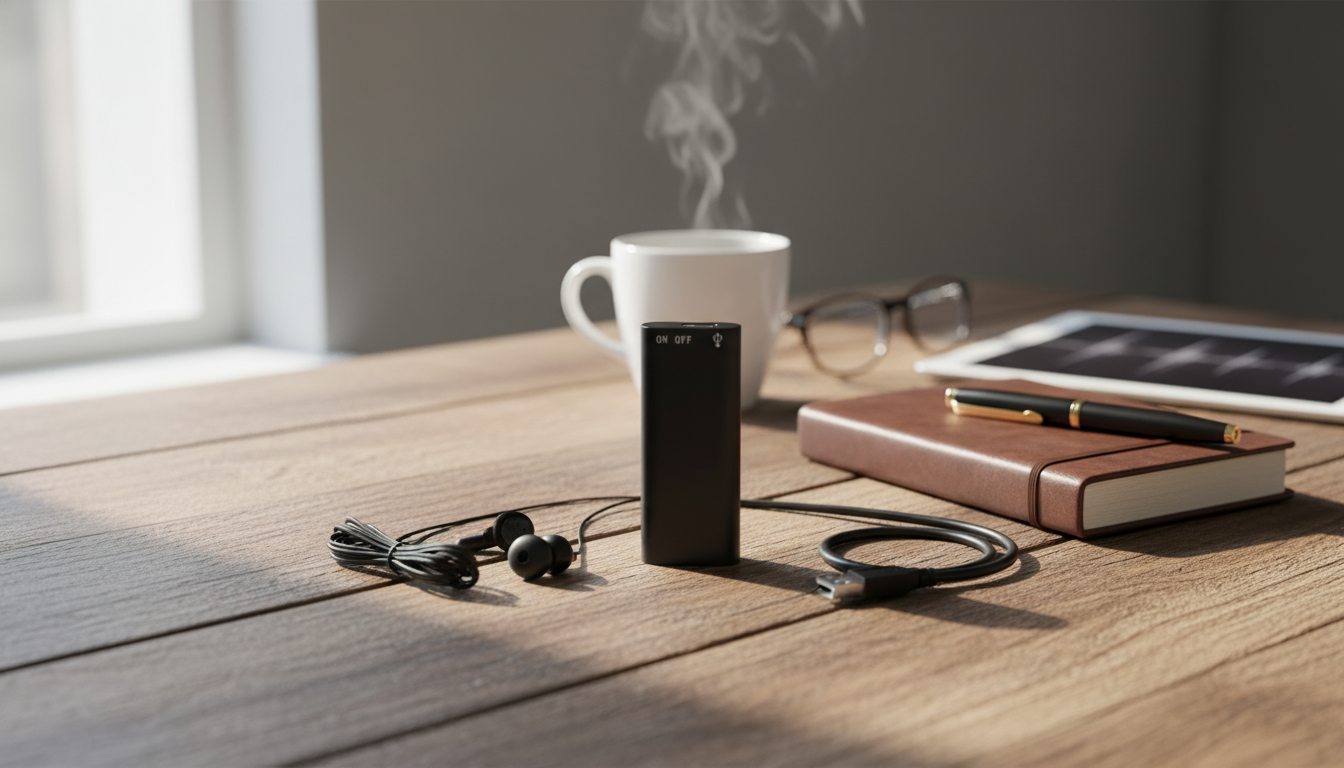
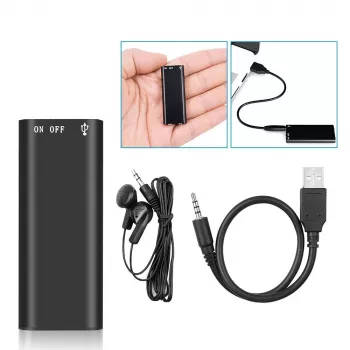
Mini 8GB Voice Recorder USB Pen with Earphones
A pen-style voice recorder is built for quick capture—tap to record during lectures, meetings, interviews, or reminders, then plug into a computer to access files. This mini 8GB model combines a digital audio recorder and MP3 player in a pocket-friendly format, with earphones included for simple playback on the go.
What It Is and When It Helps Most
This USB pen recorder keeps audio capture close at hand without adding another bulky device to your bag. The pen-shaped design makes it easy to stash in a pocket, notebook sleeve, or pen case, so it’s ready when a conversation starts moving faster than your notes.
- Pen-shaped design for discreet carry in a pocket, notebook sleeve, or pen case
- Useful for lecture notes, meeting recaps, quick voice memos, and capturing ideas while traveling
- Doubles as an MP3 player for listening between recordings
- USB connection for transferring audio files to a computer and charging (if supported by the device)
- Earphones included for direct listening without needing separate accessories
If you prefer a simple “hit record and focus” workflow, a pen recorder can act like a reliable backup to handwritten notes—especially when you’re juggling slides, discussions, and action items.
Key Features at a Glance
For everyday use, the most practical benefits are storage, portability, and fast controls. This mini recorder is designed for quick start/stop recording and easy file access once you’re back at a computer.
- 8GB onboard storage for keeping multiple recordings and music files in one place
- Voice recording function for spoken notes and longer sessions
- Digital audio playback as an MP3 player
- USB pen-style form factor to reduce the number of gadgets carried daily
- Simple control approach designed for quick start/stop recording
Quick Specs Snapshot
| Feature | What to Expect |
|---|---|
| Storage | 8GB built-in memory |
| Functions | Voice recording + MP3 playback |
| Form factor | USB pen-style mini recorder |
| Included | Earphones |
| Typical use cases | Lectures, meetings, interviews, reminders |
Recording Quality Basics (What Impacts Results)
Small recorders can capture surprisingly useful audio, but quality depends heavily on the environment and how the device is positioned. A few simple habits can make the difference between “crystal-clear recap” and “hard to understand.”
- Distance matters: clearer speech typically comes from positioning the recorder closer to the main speaker
- Room noise matters: fans, street noise, and echo can reduce intelligibility
- Orientation matters: keeping the mic area unobstructed (not covered by fingers or fabric) helps clarity
- Movement matters: handling noise can be picked up when the device is touched during recording
- Test-first habit: a short 10–20 second test clip before a long session can prevent surprises
For meetings, placing the recorder on the table near the conversation (rather than deep in a bag) typically yields clearer voices and fewer rustling sounds.
Simple Setup and Everyday Use
The biggest advantage of a USB pen recorder is how quickly it can fit into your routine: charge, record, transfer, and archive. A few steps keep things smooth over time.
- Charge/Power: connect via USB as needed and confirm the device powers on before leaving home
- Record: start recording before the discussion begins to avoid missing early context
- Label/Organize: after transferring to a computer, rename files by date/topic for faster retrieval later
- Playback: use the included earphones for quick review without disturbing others
- Backups: copy important recordings to a second location (cloud or external drive) for peace of mind
To stay organized, try a simple folder structure on your computer (for example: “2026-05 Meetings” and “2026-05 Lectures”), then rename files with a short topic tag right after transferring.
Who This Pen Recorder Fits Best
This style of recorder works well for people who value portability and quick access over complex editing features. It’s especially helpful when you need a lightweight device that can live in a pocket every day.
- Students who want a lightweight backup to handwritten notes
- Professionals who need quick meeting recaps and action-item reminders
- Interviewers and researchers who want a portable audio capture option
- Commuters who like having a compact MP3 player plus recorder in one device
- Anyone building a habit of voice journaling or spoken to-do lists
Care, Privacy, and Responsible Use
Audio recording can be incredibly useful, but it also comes with responsibilities—especially when other people’s voices are involved. Consent and secure storage are just as important as battery life.
For a plain-language overview of recording conversations and consent considerations, see the Federal Trade Commission guidance. For broader security practices around protecting sensitive information in systems and workflows, reference NIST SP 800-171.
Common Troubleshooting (Fast Fixes)
In-Stock Picks to Get Started
- Mini 8GB Voice Recorder Digital Audio MP3 Player USB Pen with Earphones (in stock)
- Speak Success: Your Power Words Action Checklist | Powerful Words for Success Daily Mindset Tool | Digital Download (in stock)
FAQ
How many hours can 8GB store for voice recordings?
It varies by recording format and bitrate, but 8GB often holds many hours of voice audio (commonly dozens of hours at lower bitrates). Record a short sample and check its file size to estimate how long your preferred settings will fit.
Can the recordings be transferred to a computer?
Yes—connect the recorder via USB, then open the device storage on your computer to copy audio files into a folder. Rename files by date/topic right away and back up important recordings to a second location for safekeeping.
Does it work as an MP3 player with the included earphones?
Yes, it can play MP3 files using the included earphones for convenient listening. Add music by copying MP3s onto the device via USB, then use the device controls to switch between playback and recording as needed.



Leave a comment